Windows Live Writer
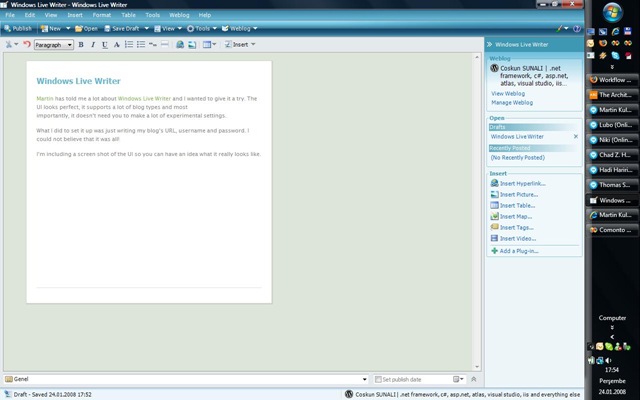 Martin has told me a lot about Windows Live Writer and I wanted to give it a try. The UI looks perfect, it supports a lot of blog types and most importantly, it doesn’t need you to make a lot of experimental settings.
What I did to set it up was just writing my blog’s URL, username and password. I could not believe that it was all!
You can click the screen shot of the UI above to see the bigger version of it so you can have an idea what it really looks like.
When you look at the screen shot, you will see that it is not just a basic Rich Text Editor replacement of your blog’s admin panel. It download the CSS files that your blog uses and you write your post like you are editing the content directly on the post page.


Great to see that you use Windows live writer. The best thing that I love about it is that it can be very easily extended – you can write your own addin or install one that was already built. And of course, it is written in .NET :)
I wrote one addin myself – http://www.codeplex.com/Facebook4LiveWriter
Hi Deyan,
Hope you are doing fine since our last pizza party :)
Well, I already developed a plug-in and you can read about it here: http://sunali.com/2008/01/25/live-writer-open-source-insert-tag-snippet-plug-in/
It was not there when you wrote your comment, I know!
I am not a fun of facebook but I will give a try to your plug-in and I will look at its code for sure :)